

Good audio is the thing most creators fix last and regret not fixing first. I’ve cycled through a few wireless lav systems over the years, and they all share the same tax: an extra receiver to mount, an extra cable to route, and one more thing to charge with one more weird cable.
The Insta360 Mic Pro solves a surprising amount of that, and it does it while packing in features that genuinely don’t exist elsewhere at this price. Here’s how it’s held up for me.
Product Overview
The Mic Pro is Insta360’s flagship wireless microphone system, and the standard kit ships as two transmitters, one receiver, and a charging case.
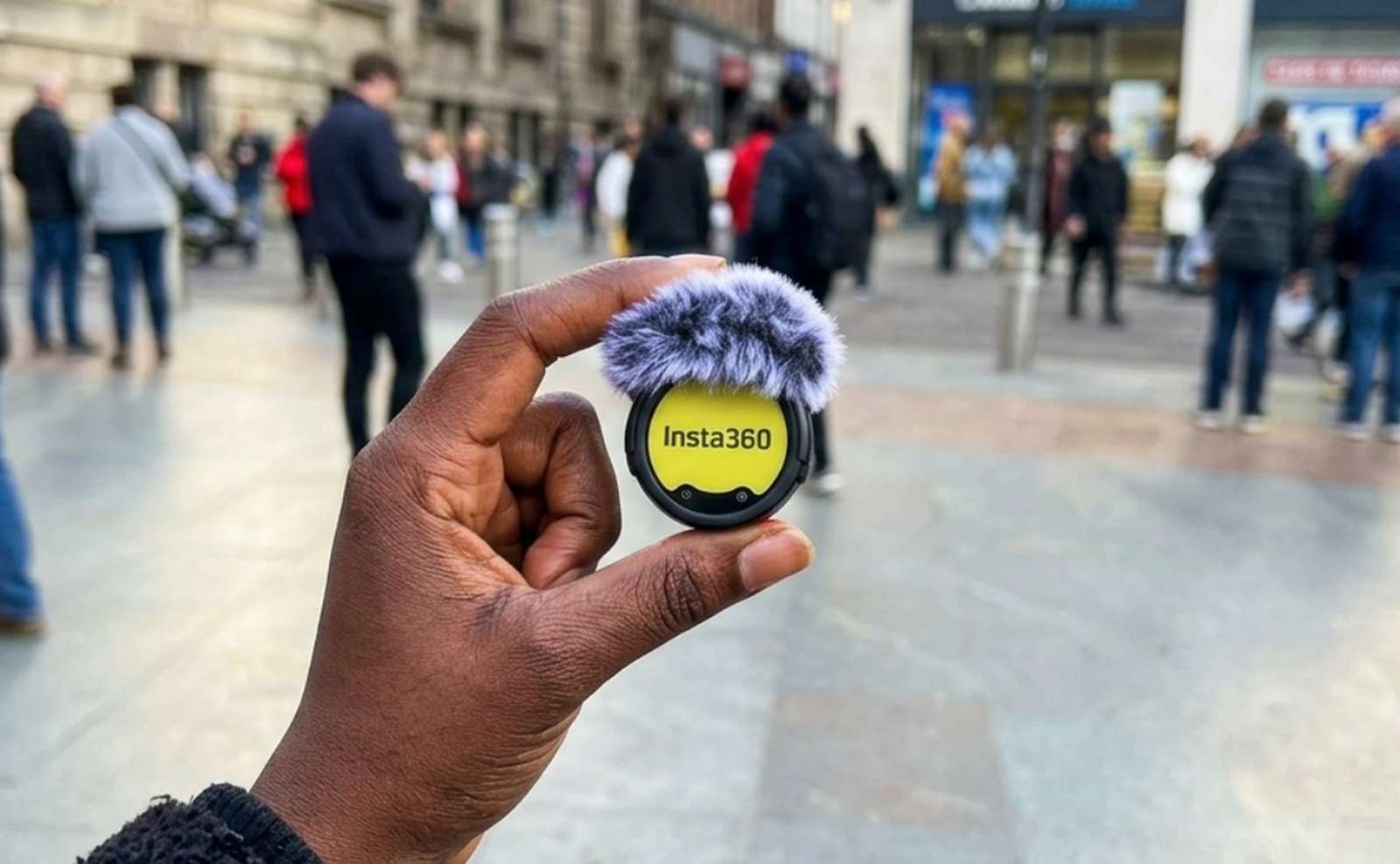
Three capsules per transmitter. This is the headline spec. Nearly every competitor at this price puts a single capsule inside the transmitter. The Mic Pro packs three into a 19.7-gram body, giving you four switchable pickup patterns: omnidirectional, supercardioid, figure-eight, and stereo. That’s real flexibility. You can shoot a walk-and-talk in omni, then switch to supercardioid for a noisy street interview without swapping hardware.
32GB of onboard recording. Each transmitter records internally as a backup, including 32-bit float. Insta360 rates it at roughly 60 hours of 24-bit mono or about 29.7 hours of 24-bit stereo. If your wireless link drops or someone clips a take, the clean file is already sitting on the mic.
Direct camera connection. Here’s the feature I use most. The transmitters connect over Bluetooth 5.4 straight to Insta360 cameras with no receiver in the chain at all. That covers the GO Ultra, X5, X4 Air, and Ace Pro 2, and it works with my Luna Ultra as well. Clipping a mic on and hitting record with nothing mounted to the camera is a small thing that changes the whole workflow.
Range and sync. The system is rated at 400m line of sight to the receiver, and roughly 100m when connecting directly to a camera. For multi-camera work, timecode sync is handled via a TCXO oscillator rated at under one frame of drift across 24 hours. It also scales, supporting up to four transmitters per receiver.
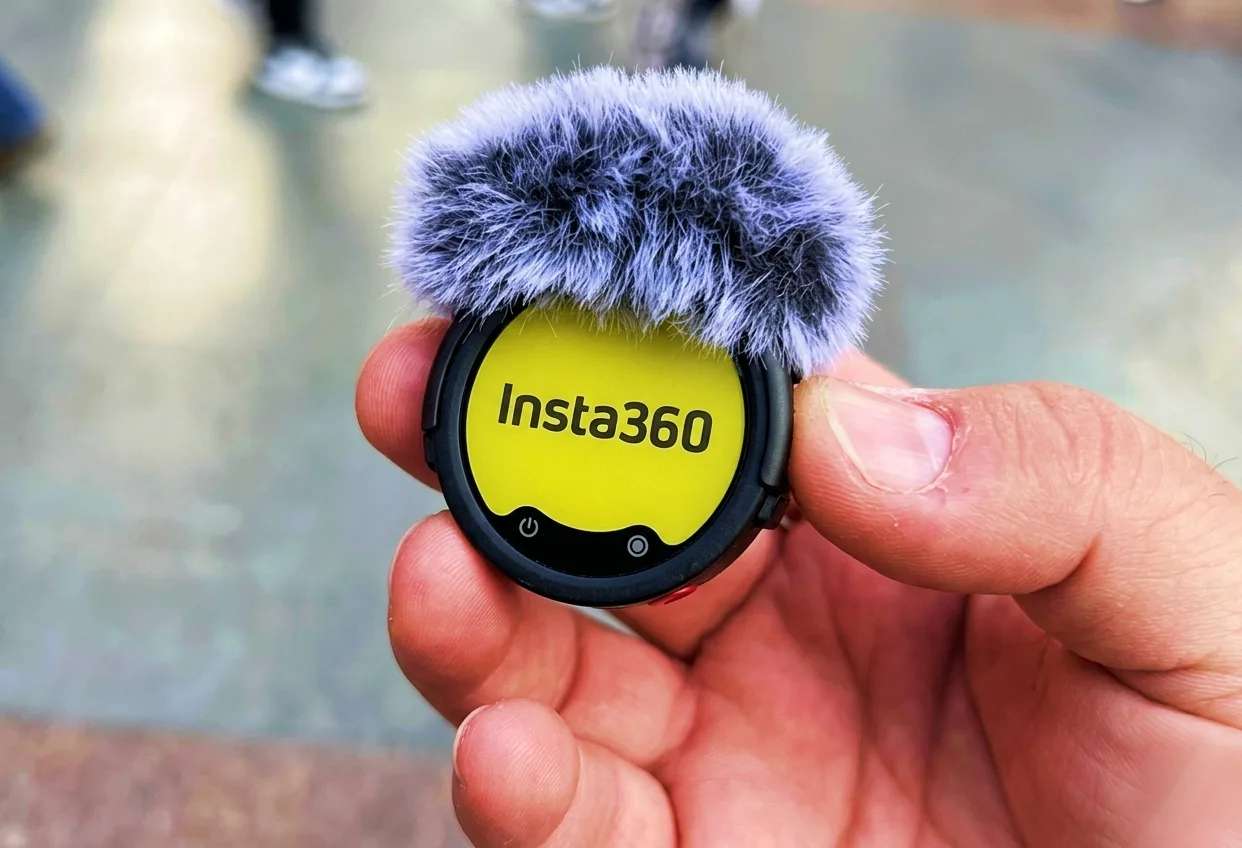
Customizable E-Ink display. Each transmitter carries a 1.22-inch six-color E-Ink screen (240 x 208, 197 PPI) that you can load with your own image. Put your logo on it, your channel name, whatever you want. On a mic that’s going to be visible in frame during interviews, that’s a genuinely useful branding surface, not just a gimmick. E-Ink also uses almost no power to stay displayed.
Battery Life
This is where the Mic Pro quietly excels.
- Transmitters: up to 10 hours each
- Receiver: up to 11 hours
- With the charging case: up to 30 hours total
- Fast charge: 5 minutes gets you roughly 1.5 hours of recording
- Full charge: about an hour for a transmitter (80% in around 24 minutes), about 75 minutes for the receiver
The charging case holds a 2,815mAh battery, good for roughly two full recharges of two transmitters plus the receiver. In practice, I stopped thinking about it. A full day of shooting simply doesn’t run this system dry, and the 5-minute fast charge covers the gap between setups when you forget to dock something.
Everything charges over USB-C. That matters more than it sounds. No proprietary brick, no dongle to lose in a bag, and the same cable that charges my phone and my cameras also charges the mics.
Price
The standard 2 TX + 1 RX kit with charging case is $329.99, and it’s regularly discounted to around $299.99 at Amazon and other retailers. Insta360 also sells configurations à la carte:
- Single transmitter: $99.99
- 1 TX + 1 RX system (no charging case): around $199.99
- 2 TX + 1 RX with charging case: $329.99
For context, three capsules, 32GB of internal 32-bit float recording, and timecode sync are features that usually live in systems costing considerably more. Judged on spec sheet alone, the pricing is aggressive.
What I Liked
No receiver needed with Insta360 cameras. Clipping a transmitter on and pairing directly to my GO Ultra or Luna Ultra is the single best thing about this system. Nothing mounted on the camera, nothing plugged in, no cold shoe real estate consumed. For run-and-gun shooting, it removes an entire step.
The battery life is legitimately great. Ten hours per transmitter and 30 with the case means the mic outlasts the shoot, the camera, and usually me.
The customizable E-Ink screen. It’s the kind of feature I expected to find silly and ended up using constantly. Branding a mic that’s going to sit in frame is free advertising, and E-Ink means it displays without draining anything.
USB-C charging. No proprietary charger to pack. One cable for the whole kit bag.
What I Didn’t Like
The clips can be stubborn to remove. They hold securely, which is the point, but getting a transmitter off a collar or lapel takes more fiddling than it should, especially one-handed and mid-shoot. It’s a small annoyance that shows up every single session.
Most people will be perfectly happy with the cheaper Mic Air. This is the honest caveat. The Mic Air starts around $49.99 for a single transmitter and about $69 for the transmitter-plus-receiver bundle. It also connects directly to Insta360 cameras, offers 10 hours of battery life, 48kHz audio, and a 7.9-gram body that’s even easier to hide. If you’re a solo vlogger who just needs clean voice audio, the Mic Air covers that at a fraction of the price. The Mic Pro earns its premium through pickup pattern flexibility, 32-bit float backup recording, timecode sync, and multi-transmitter scaling. If none of those words made you sit up, save your money.
The Verdict
Highly recommended, with one honest qualifier.
The Insta360 Mic Pro does things no other wireless lav system near $330 does. Three capsules, four pickup patterns, 32-bit float internal backup, timecode sync, all-day battery, and a customizable E-Ink face on a 19.7-gram transmitter is a genuinely remarkable package. Add direct Bluetooth pairing to Insta360 cameras and USB-C charging throughout, and this becomes the easiest wireless mic I’ve ever worked with.
Just be honest with yourself about which tier you need. If you shoot interviews, multi-person setups, or anything where losing audio would ruin the day, the Mic Pro is worth every dollar. If you’re a solo creator who talks to a camera, the Mic Air will make you just as happy for a third of the price.
Rating: 4.5 / 5

